Tonight I swam across Loch Modan in World of Warcraft: Forever, then went and killed some ogres. The game was running on an Alienware Aurora R8 I bought in 2018, inside a Windows virtual machine, on a Linux host with no monitor attached. What I was looking at was a video stream on my MacBook Pro. It held 4K at 60 frames per second the whole evening and didn’t drop a single frame.
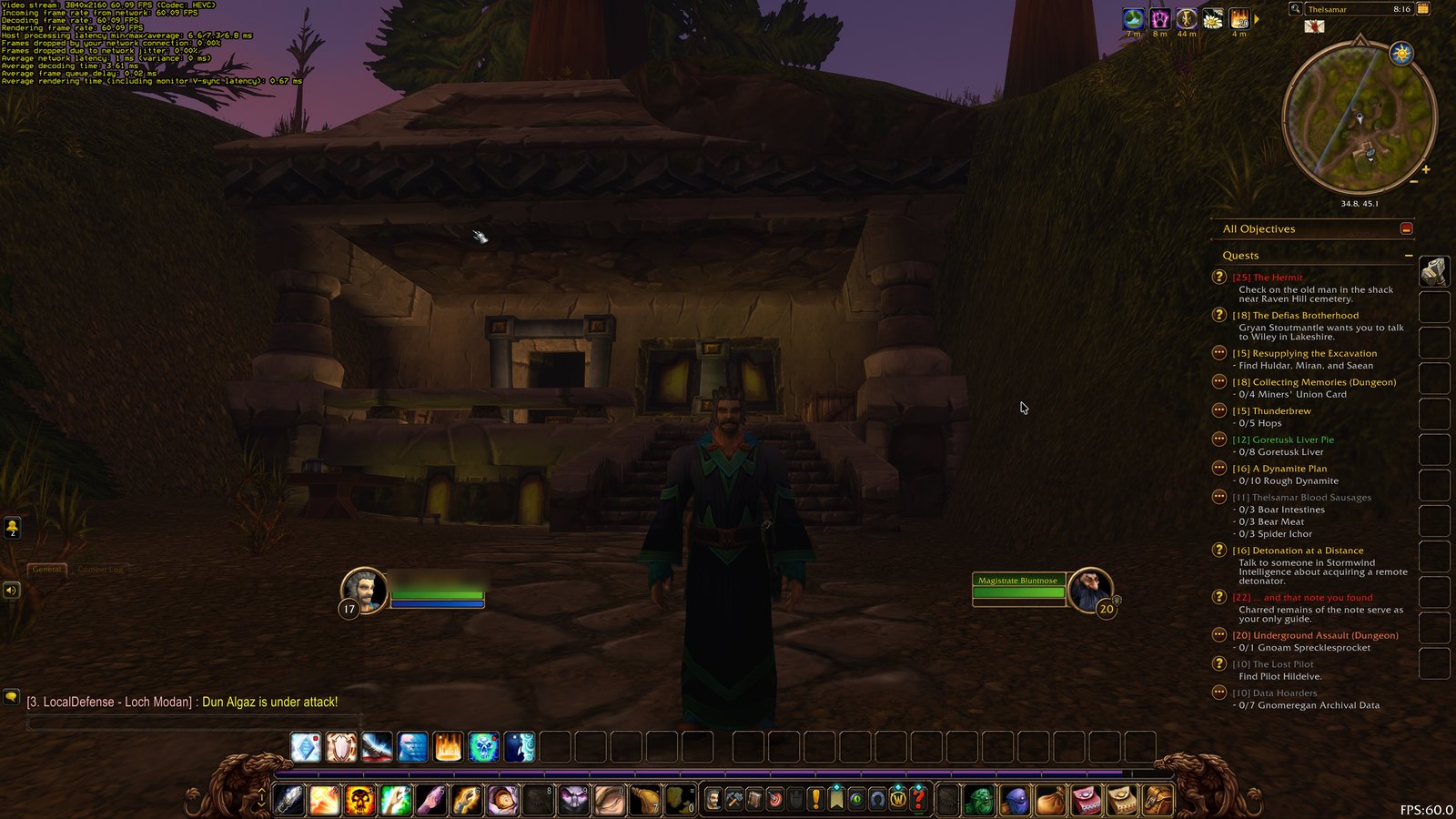
Thelsamar at dusk. Top left, Moonlight's stats: 3840x2160 at 60 fps, nothing dropped. Bottom right, WoW's own counter, also 60.
If you think about it too hard, it’s a little ridiculous that this works.
The hardware
The Aurora was a top-end gaming PC when it shipped: Intel’s i9-9900K, an Nvidia RTX 2080 and 64 GB of memory. These days it sits headless in my office running Debian Linux, and its job is hosting virtual machines for my home lab. One of them is a Windows 11 VM I call aurwin.
Gaming in a VM depends on a feature called GPU passthrough. Linux never loads a driver for the RTX 2080. The card is set aside at boot, and when aurwin starts it gets the whole card directly, as if it were plugged into the VM’s own motherboard. Windows runs Nvidia’s normal driver and has no idea it’s virtual. I benchmarked it earlier the same day: the card performs at bare-metal speed, and once its 12 virtual CPUs were pinned to specific physical cores, the VM got about 97% of the processor’s bare-metal throughput.
A graphics card with nothing plugged into it won’t draw a desktop, so a cheap HDMI dummy plug in the back pretends to be a monitor. Nobody ever looks at what it shows.
The trip each frame takes
Sixty times a second:
- WoW draws a frame on the RTX 2080, in Windows, in the VM.
- Sunshine, an open-source game streaming server running in Windows, grabs the finished frame and hands it to the card’s built-in video encoder. That’s a separate part of the chip, so compressing the video barely touches the part drawing the game.
- The compressed frame leaves through a virtual network bridge and a 2.5 gigabit USB-C dock, crosses two network switches, and reaches the Mac over a 10 gigabit link.
- Moonlight, the client half, decodes it in hardware on the Mac and puts it on my monitor. Keyboard and mouse travel the same path in reverse.
Moonlight’s overlay put the network leg at 1 millisecond. From capture on the Aurora to pixels on my screen came to about 12 milliseconds, which is less than one frame at 60 fps. That’s why it plays like a local game.
Installing it
I’ve been building this lab with Claude Code, Anthropic’s coding agent, and it handled the host side tonight. aurwin’s system drive was too small for a 50 GB game, so I had it add a separate 150 GB drive just for games, kept outside the VM’s snapshots so rolling Windows back never wipes the game. Claude took a snapshot first, wired the new disk into the VM and formatted it as D: over SSH.
Its attempt to install Battle.net remotely went nowhere. Blizzard’s installer wants a real desktop session and simply sat there waiting for one. So Claude downloaded the official installer, checked Blizzard’s signature on it and left it on the Windows desktop for me. I double-clicked it inside the Moonlight window like anybody would, signed in, and pointed the install at D:.
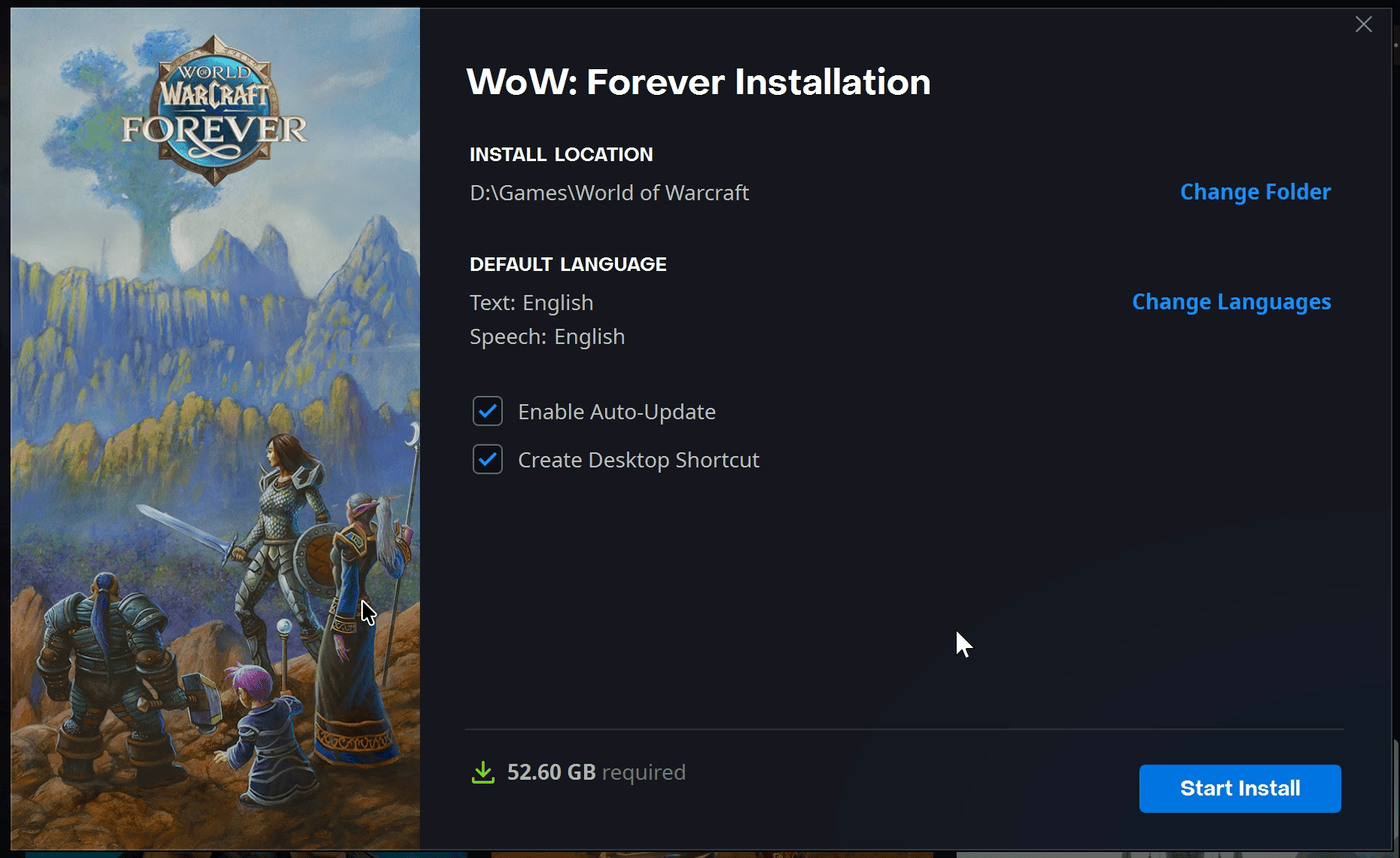
Pointing the install at the new games drive. 52.6 GB required, 150 GB available.
The download pulled 95 to 113 megabytes per second from Blizzard and finished in about nine minutes. Battle.net lights up the Play button at 3%, but I waited for the whole thing.

Battle.net inside the VM, seen through Moonlight on the Mac. Bottom left: 112.73 MB/s.
How it plays
I left every graphics setting at WoW’s defaults. That seemed like the fair test: install a Windows game, change nothing, and see what you get. WoW chose 4K output with the 3D world rendered at 66% scale (2560x1440), vertical sync on, and a middle quality preset. The interface still draws at full 4K, so text and quest logs stay crisp.
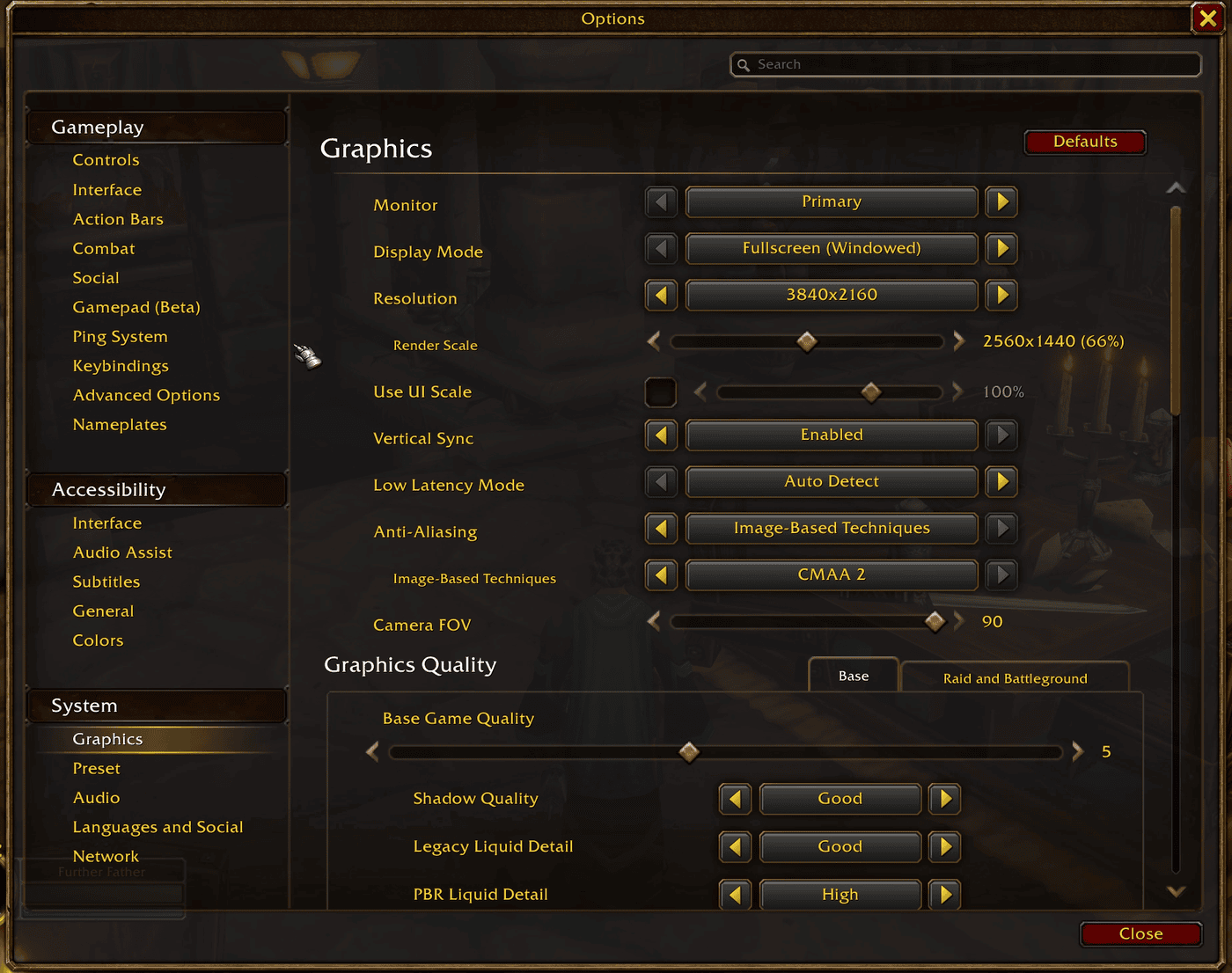
WoW's own choices. I didn't touch any of them.
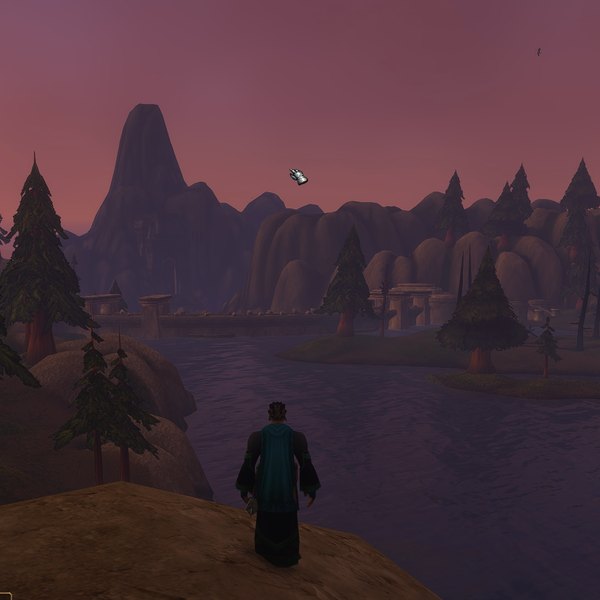
It held 60 fps in the Stoutlager Inn, out in the open and in the middle of a fight. Readings from inside the VM put the RTX 2080 at 50 to 65% load, so a third of the card or more was sitting idle. It ran warm, around 83°C, and handled that by trimming its clock a few percent rather than spinning the fan up. Swimming is about the hardest thing you can ask of a video encoder, since every pixel of water moves at once. Loch Modan looked beautiful anyway.
The first thing I watched was the intro cinematic, and I filmed the monitor with my phone because I didn’t quite believe the numbers.
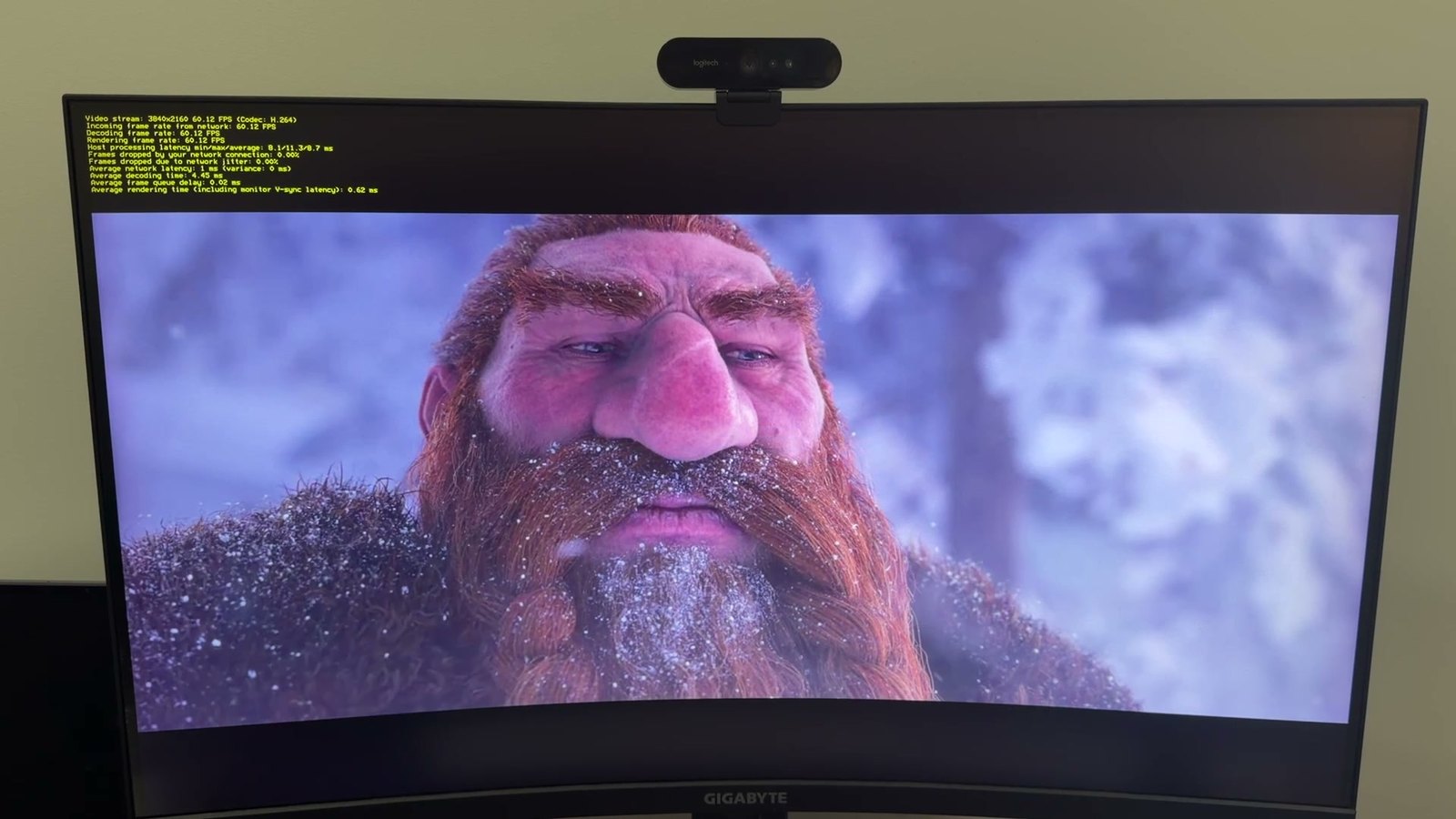
The intro cinematic, streamed at 4K and photographed off the monitor.
That run used H.264, Moonlight’s automatic pick. Switching to HEVC shaved time off both ends: processing on the Aurora went from 8.7 to 6.8 milliseconds and decoding on the Mac from 4.6 to 3.6, about 3 milliseconds off the total.
Flying to Stormwind
Later I took a gryphon from Loch Modan to Stormwind: three and a half minutes over the snows of Dun Morogh, through the red skies of Searing Gorge and Burning Steppes, and down across Elwynn Forest. WoW’s counter read 60 the whole way, 59.9 at its lowest.

Searing Gorge from the back of a gryphon. Other players' names are blurred.
Flying turns out to be harder on the processor than on the graphics card, because the game is streaming in new terrain the entire time. One core of the i9 reached 84°C on the way, its warmest reading of the night, while the card stayed around 60% busy.

Coming in over the walls of Stormwind.
The first real dip came after I landed, in the Trade District, which was packed with players. The counter fell to 58.1. Crowds load up the CPU: every player brings a model, gear, a pet and a nameplate, and the game prepares all of it for the graphics card every frame, much of it on one thread. Benchmarks earlier in the day put the VM’s cost on that kind of single-thread work at about 2%, so I’d expect a bare-metal Windows install on this tower to land on the same 58. The card still had a third of its capacity to spare.
Why bother, when WoW runs on a Mac?
WoW has a native Mac version, and it’s a good one, mostly. When I first installed the Forever beta on my MacBook Pro in September, entering the world froze the entire Mac about 40 seconds later, sometimes with a kernel panic, until I turned one lighting setting down. Another setting tinted the whole world teal. The Windows version, at its defaults, needed nothing.
Still, WoW was the control case here, a game I already knew runs well. The payoff is in Windows games with no Mac version at all, and games whose Mac port is an afterthought. Run the real Windows build on a real Nvidia card, stream it, and the Mac only has to play video, which it does very well. Overwatch is already sitting in my Battle.net launcher with no Mac version, so it’s probably next.
Two limits worth knowing. Games with kernel-level anti-cheat, such as Call of Duty and Valorant, often refuse to run in a virtual machine or flag the account, and I’m not going to fight them on that. And the RTX 2080 is a 2018 card, so this year’s big releases will want medium settings.
Eight years ago this was simply a nice gaming PC. Tonight it was a server in a VM, streaming to a laptop, and the game couldn’t tell the difference.
Share with me: If you play games on a machine other than the one in front of you, a box in the closet or something in the cloud, I’d be curious how you set it up. Comments are open. 💬